Setting up ESP8266
2024-12-12
Table of Contents
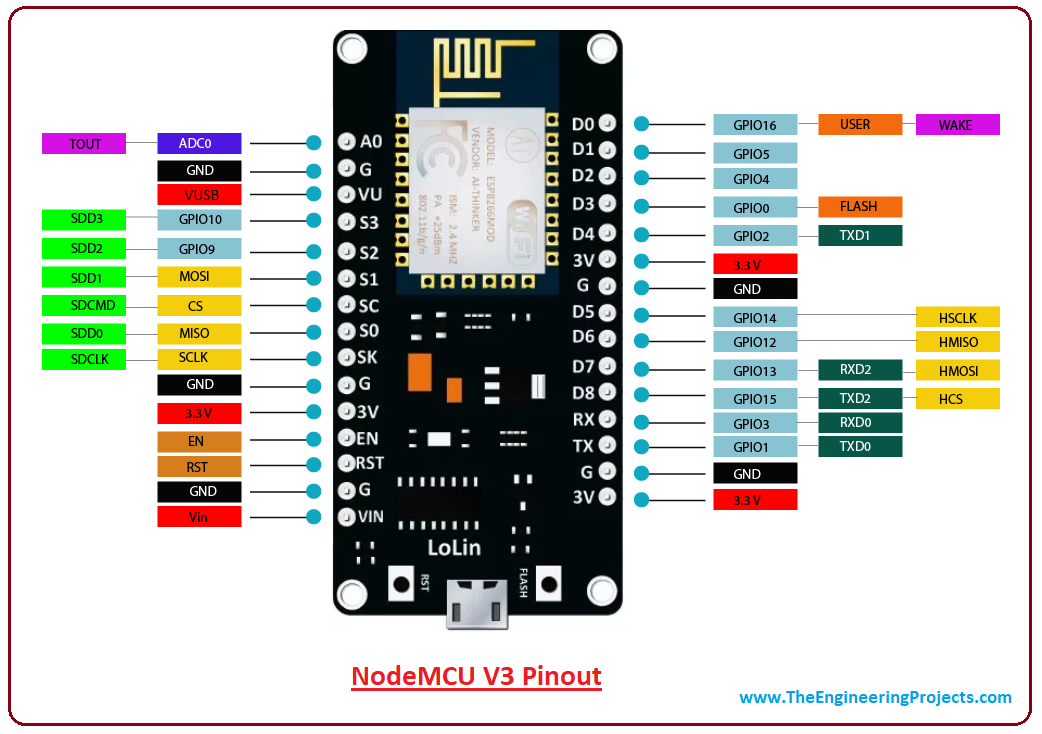
esp8266 Diagram
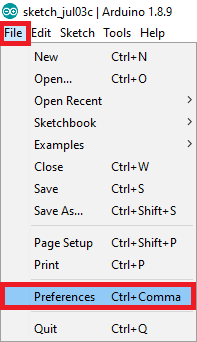
In your Arduino IDE, go to File> Preferences
Enter the following into the “Additional Board Manager URLs” field:
CODE
http://arduino.esp8266.com/stable/package_esp8266com_index.jsonclick the “OK” button:
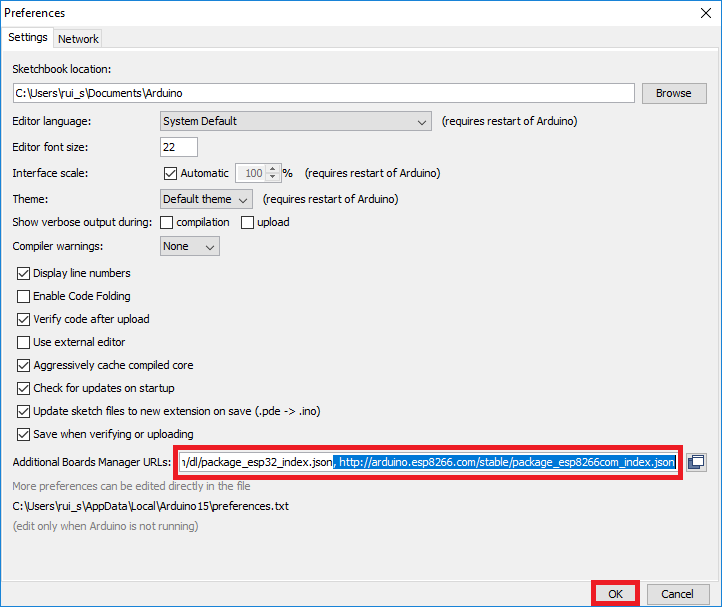
Note:if you already have the ESP8266 boards URL, you can separate the URLs with a comma as follows
txt
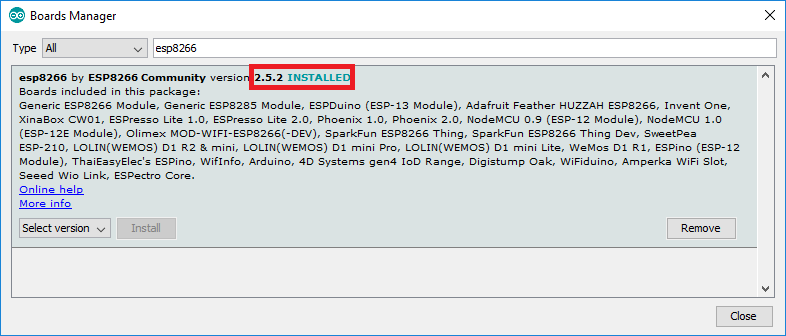
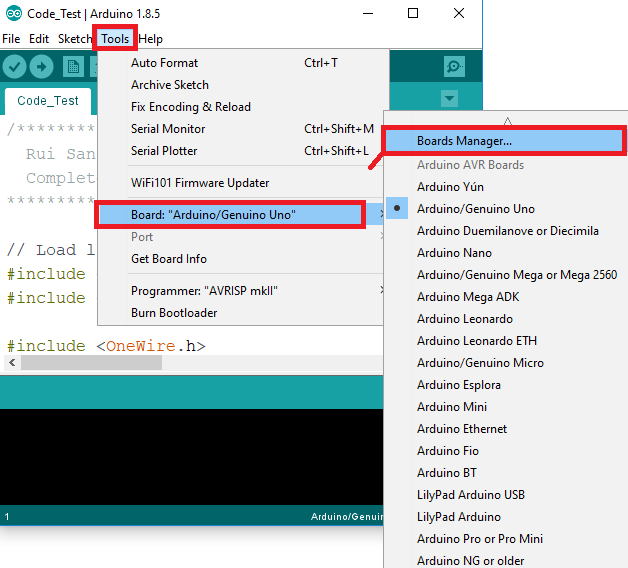
https://dl.espressif.com/dl/package_esp32_index.json, http://arduino.esp8266.com/stable/package_esp8266com_index.jsonOpen the Boards Manager. Go to Tools > Board > Boards Manager…
Search for ESP8266 and press install button for the “ESP32 by Espressif Systems“:
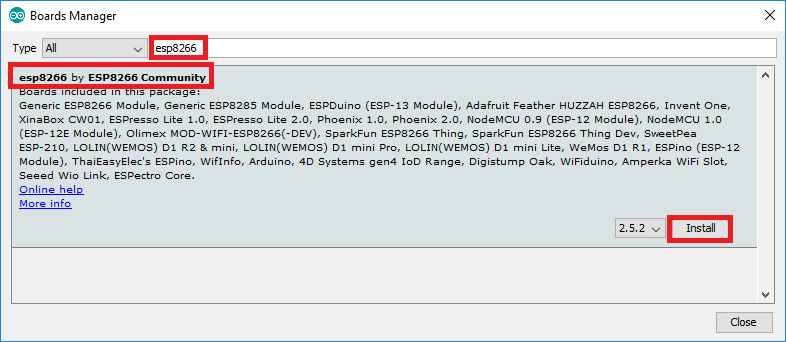
That’s it. It should be installed after a few seconds.